2026 Small Business Planner
If you're running a small business—or preparing to launch one in 2026—you know how quickly time slips away between customer messages, inventory checks, ad campaigns, and tax prep. A good planner isn’t just about writing dates in boxes. It’s about creating structure that adapts to your workflow—not the other way around. That’s where the 2026 Small Business Planner stands apart: it’s not a static calendar or a generic notebook. It’s a fully editable, print-ready system built for real-world small business needs—designed to scale with your growth, reflect your brand, and eliminate redundant admin work.
Why “Customizable” Matters More Than You Think
Many planners promise flexibility—but fall short when it comes to actual use. Some sellers label a single-page PDF as “editable,” only for buyers to discover it’s locked, low-res, or missing key sections like an Inventory Tracking sheet or Ads Tracker. Others offer Canva templates but omit critical pages like Seasonal Promotions, Product Analysis, or Launch Your Shop Budget Tracker—leaving users scrambling to build those from scratch.
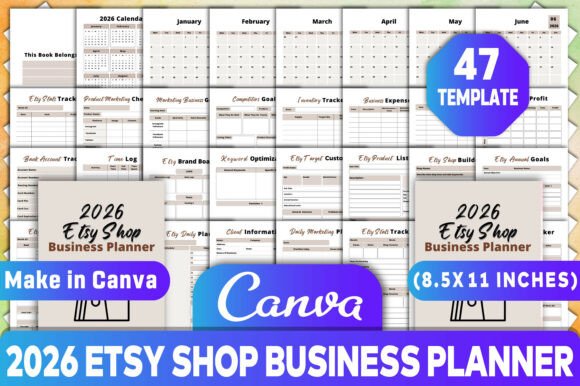
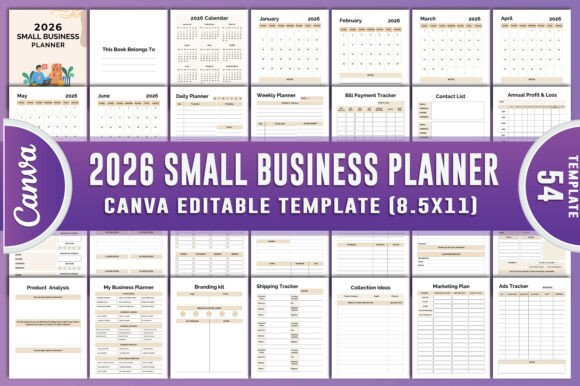
This is where the 2026 Small Business Planner Canva KDP Interiors delivers differently. You receive 100 customizable original files—not just one template. Every page—from the Monthly Planner (Jan–Dec) to the Customer Feedback Log, Shipping Tracker, and Annual Profit & Loss Summary—is designed to be edited directly in Canva. No design skills needed. No hidden layers or password-protected elements. Just clean, organized, high-resolution PDF, JPG, and PNG files ready for printing or digital use.
A Common Mistake: Assuming “Printable” Means “Ready to Use”
Here’s what often happens: someone downloads a “printable planner,” prints it, and discovers too late that the Order Form lacks space for SKU numbers, the Website Planner doesn’t include SEO checklist prompts, or the Social Media Planner has no column for UTM tracking. Worse—some files are scaled incorrectly for US Letter or A4 paper, causing misaligned margins or cut-off headers.
That’s why checking file specs matters before purchase. With the 2026 Small Business Planner, every page is pre-formatted for standard print sizes, includes bleed-safe margins, and uses legible, professional fonts. The Branding Kit section even includes color-coded swatches and logo placement guides—so whether you’re updating your Price List or designing a Thank You Card, consistency stays effortless.
Another Overlooked Detail: How You’ll Actually Use It
Planners fail not because they’re poorly made—but because they don’t match how people work. A freelancer might need daily time-blocking and Meeting Notes templates more than a Supplier Contact List. An e-commerce seller relies heavily on Collection Ideas, Shipping Tracker, and Order Tracker. A service-based educator may prioritize Long-Term Business Goals, Weekly To-Do List, and Customer Receipt formatting.
The 2026 Small Business Planner avoids this mismatch by organizing content into functional clusters—not just chronological ones. You’ll find dedicated spreads for planning (Marketing Plan, Project Planner), operations (Inventory Tracking, Bill Payment Tracker), and growth (Target Customer Market, Annual Finance). And because everything is editable in Canva, you can delete, duplicate, or reorder pages to match your rhythm—no wasted space, no forced structure.
What to Check Before You Download
Before adding any planner to your toolkit, ask yourself three things:
- Is every page truly editable? Open a sample in Canva and test renaming a header, changing a color, or adding a new row to the Sales Tracker. If it resists editing—or forces you into Photoshop—it’s not built for real use.
- Does it include your top 3 operational pain points? For example: if you juggle multiple suppliers, verify the Supplier Contact List has fields for lead times and minimum order values—not just names and emails.
- Are export options practical? You should get both print-ready PDFs (CMYK, 300 DPI) and web-friendly PNG/JPGs—not just one format masked as “versatile.”
The 2026 Small Business Planner Canva KDP Interiors passes all three. Its Income Tracker and Expense Tracker include dropdown categories and auto-sum formulas (in editable spreadsheet-style layouts). The Customer Receipt features customizable tax fields and payment method toggles. Even the Notes and Ideas pages use subtle grid lines and spacing optimized for handwriting or stylus input.
Realistic Example: How This Saves Time (and Stress)
Take Maya, who runs a handmade candle shop. Last year, she used three separate tools: a Google Sheet for orders, a Notes app for product ideas, and a printed calendar for deadlines. She spent ~90 minutes weekly reconciling data across platforms—and missed two wholesale shipment windows because her shipping tracker wasn’t synced with her inventory count.
This year, she switched to the 2026 Small Business Planner. She duplicated the Shipping Tracker page for each season, added her carrier’s logo using the Branding Kit, and linked her Inventory Tracking column directly to her Order Tracker notes. Now, she reviews everything in one place—printing only what she needs each Monday morning. Her weekly admin time dropped to 25 minutes. More importantly, she caught a packaging supplier delay early—because the Supplier Contact List included contract renewal dates and escalation contacts.
Better Approach: Start Small, Scale Smart
You don’t need to fill every page on January 1st. In fact, starting with just four core tools—Daily Planner, Weekly To-Do List, Order Tracker, and Customer Feedback—builds confidence and reveals what else you actually reach for. Then layer in Seasonal Promotions before Q4, add Ads Tracker when launching a campaign, or pull up Long-Term Business Goals during quarterly review.
The 2026 Small Business Planner supports exactly that kind of intentional adoption. Its modular design means you’re never locked into a rigid system—you’re supported by one that grows with your clarity, capacity, and confidence.
Final Thought: Your Time Is Nonrenewable
Every hour spent wrestling with disorganized tools is an hour not spent serving customers, refining your offer, or resting. A planner shouldn’t add friction—it should quietly remove it. When you choose the 2026 Small Business Planner, you’re choosing a system built for sustainability: one that respects your learning curve, honors your uniqueness, and gives you back the most valuable resource you have—your focused attention.